
This page contains a list of the fonts that are available and programmed into the Thesis Theme from DIY Themes. Read the full story
Posted on 07 September 2009.
This page contains a list of the fonts that are available and programmed into the Thesis Theme from DIY Themes. Read the full story
Posted in Featured, WordpressComments (1)
Posted on 02 July 2009.
It is inevitable that if you are working online in the current day and age you will end up using several third party websites/applications throughout your day. Online marketers will often write articles for EzineArticles, create viral videos for YouTube and even create fan pages on Facebook. Not only is it mostly unavoidable but often these things are necessary to get the competitive edge in any of your business ventures.
One thing that occasionally gets overlooked by people new to affiliate marketing however is the importance of having your own website. The truth is when you create work for these third party websites you are leaving yourself at the mercy of the company. This is even more true if a single company is responsible for the majority of your income.
It is not unusual for a free service to suddenly require payment of some sort, or for an overnight change to the terms of service. You may think you are invincible or it will always happen to somebody else but if your main source of revenue gets shut down overnight you will be wishing you’d got your insurance out on the table a lot earlier.
There was quite a high profile case on the BBC recently of a Ronaldo fan having his Facebook fan page being shut down. A few questions were raised over the copyright issues of his posting a video to the page which ended in the 3 million strong fan page, with 500,000 monthly hits being shut down overnight. Over a year of his life dedicated to this one information stream and it’s gone in an instant. The truth is that it wasn’t even a commercial venture for him but he still felt the pain. I’m sure you don’t need to imagine the distress if you’d spent a year building up to 3 million readers of anything and for it to be gone overnight.
If he’d only created his own blog or website alongside this fan page and posted nothing more than the updates he’d added to Facebook his story could have been quite different. Not only would he have been able to promote his website through the fan page but he would have had tangible online real estate when his page was closed down and retained much of the hours of work that had gone into building his readership. This can happen to anyone at all, including myself and even you, it pays to be prepared with your own self-hosted content.
At the very least you should have your own self hosted blog or basic website. When you take this step you start to build your online real estate and even in the unlikely event that all of your third party websites turn around and close tomorrow you will still have your home project.
Setting up a blog can be as simple or as difficult as you like. You can aim for the leading blog in your industry or you can simply use one as a place to congregate your marketing messages. The main thing you will want to ensure is that you are using your own hosting account along and you have full power over your content.
Without a doubt Wordpress is one of the most powerful solutions today to create your own blog but if you need assistance it may be worth having your blog installed and set up professionally especially if you plan on it becoming your biggest source of clients/income. Whether you decide to follow these important steps or not, just remember, whenever you post any information to a third party website you face the possibility of losing it all without your own self hosted content.
Posted in Data Storage & Back-UpComments (0)
Posted on 02 July 2009.
If you own a website it’s imperative that you always keep backups of everything that’s on your server. Technology failures can and do happen all the time whether it be hardware or software based. As time has moved on and we often have huge databases running our websites rather than a few static HTML pages this process has become even more necessary. This post is divided into two main sections, the prevention & the cure. Some of this may sound a little technical at times but bare with me, there are solutions for every experience levels.
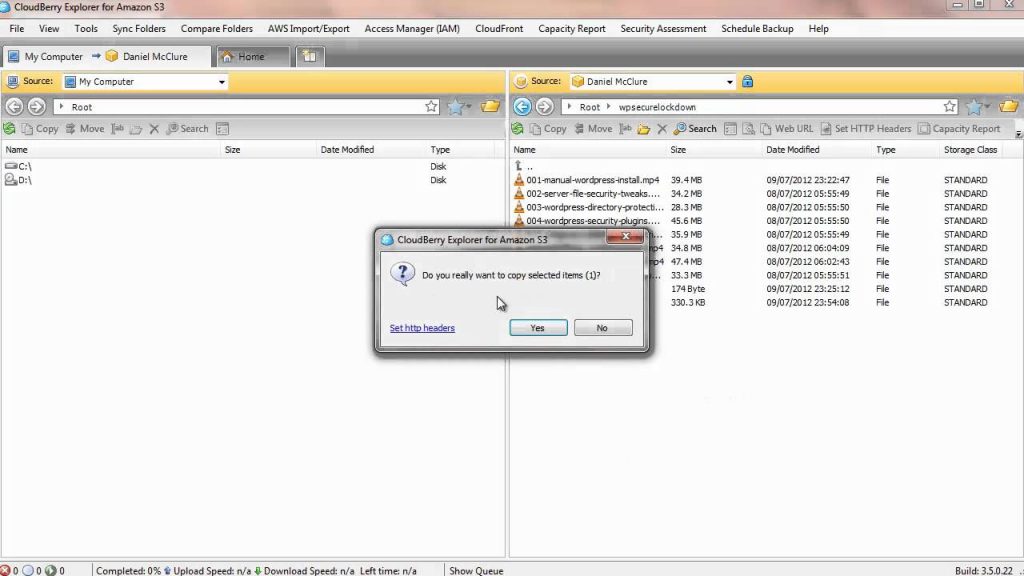
There is no better way to protect yourself from these failures than prevention. You should always keep all of your online files backed up locally and even on other online networks. A couple of few great places to back up your files depending on your requirements are:
As I mentioned above there are even ways to automate a lot of your backing up so you are always secure even if you’re not consciously thinking about it at the time. A good example of this is the WP DB Backup if you are running a Wordpress blog. However even the best backup systems have the potential to go wrong even if it’s through human error and that’s where the next section of this post comes through…
You get online and see that the nightmare scenario has actually happened… Your website is covered in database errors or even worse, you no longer have a website at all. This can be a terrifying situation to be in and no matter how much work you’ve put into a project, this is the very last thing you want to see. I’ll ask you to put away the noose however, it may not be the end of the world yet…
With some of the more simple database failures it could be that your site hasn’t actually vanished and the data isn’t gone, it’s just hiding. I’ve had it happen before where a my Wordpress blog would load as a blank page whatever I tried to do. After the initial panic and a little more research I managed to discover that the problem was caused by something I’d installed onto the blog a day before and it was possible to just disable the new plugin via the database.
No, my site has definitely disappeared…
The first thing you will consider is if you’ve made backups at any stage. If so, are they recent enough that it’s an option to just roll back a little while and just miss a few of your more recent updates? It can be disappointing to lose your recent work but often it can work out a lot easier and cheaper in the long run.
If you have no backups whatsoever, you may try contacting the company that actually host your website. Often your host will perform regular backups so that even if you have not backed up a single thing they will have a copy somewhere. The trouble with this solution is that it can often be costly and you cannot guarantee that they will have everything you need.
The final things that you can try as a last resort and I really mean as a last resort is this; Nearly all search engines these days will create a cache of your website to make their life easier. This basically means that they hold a copy of all the websites in their database for a limited time so that they do not have to actually query every site each time a search is run.
Now in many search engines you will often find that there is a little link at the bottom of each result that is called ‘Cached’. When you click on this link you are taken to the search engines copy of your web page which can often be a couple of days old depending on how often they refresh your site. What this means for you is that you can run a search for your website in all the major search engines and collect the cached files of your website and replace it from these.
You can find a pretty comprehensive list of the search engines that keep a cache here. Before you get too excited though, please bare in mind that this will be a very labor intensive method depending on the size of your website and you are almost guaranteed to not find everything that was on your site before the crash. As a last ditch effort though, it can take away some of the pain of losing your site and help you to get back on your feet a little quicker.
Armed with this information you not only have the power to pick up the pieces on a lost website, but ultimately protect it in future. As always the best thing that you can do in any situation is backup in advance and with the ideas provided here you should be easily on your way to turning your next disaster into a minor set back because it’s not a question of if, but when…
Originally posted on Daniel McClure’s Personal Blog June 19th 2009
Posted in Data Storage & Back-Up, FeaturedComments (0)